DVOLD for consumers
Prove what is yours. Keep what belongs with it.
Purchase evidence, product information, warranties, maintenance records and ownership history should not be scattered across drawers, inboxes and multiple accounts. DVOLD brings this information together in one record around the item. You can see where it came from and decide which data you share.
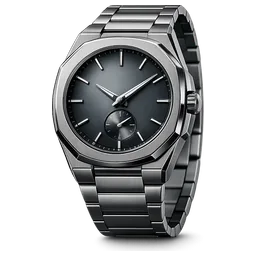 AU
AUOctave 41
Owned since 2024
Where it came from
- Product informationIssued
- Purchase evidenceAdded
- MaintenanceValidated
You decide what you share
- Purchase evidenceShared
- Personal detailsPrivate
Where it came from
IssuedAddedValidated
You decide what you share
Also in your environment
 Sac VoyageBags
 Vantare L7Cars
One personal environment for what you own and the information that belongs with it.
Why DVOLD
Evidence for what you own is too easily lost.
A watch, bag, bicycle, musical instrument or car may stay with you for years. Yet the evidence that belongs with it easily becomes scattered. A receipt goes missing. A certificate remains in the box. Maintenance information disappears into a separate inbox. When you sell the item, you then have to prove again what it is, where it came from and what happened to it.
This is more than inconvenient. Missing or fragmented information can make warranty, insurance, maintenance, appraisal and resale more difficult. DVOLD is being developed to keep that information with the item for as long as it remains relevant and valuable.
Cannot be found
Purchase evidence lost
Without evidence, warranty, insurance or resale can become unnecessarily complicated.
In different places
Information scattered
Receipts, certificates, photos, policy documents and maintenance records are scattered across different places.
Source unclear
Difficult to assess
A document does not always show who issued it or whether a qualified expert confirmed its contents.
Ends at resale
History disappears
When an item is sold or transferred, relevant product information is often lost.
None of this is attached to the item itself.
One digital passport per item
All relevant information stays connected to the item.
In your personal DVOLD environment, each item has its own record. Product data, documents, photos, events, statuses and ownership information come together in one clear place.
You can add an item yourself. A connected brand or retailer can issue a digital passport or add information directly. Where relevant, a qualified expert can review and validate specific data. DVOLD always shows where the information came from.
Item record
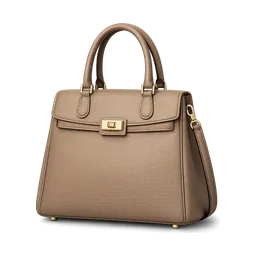 MR
MRSac Courier
- DataBrand and modelBrand or retailerIssued
- DocumentPurchase evidenceYouAdded
- DataSerial numberBrand or retailerIssued
- DocumentPhotos of the itemYouAdded
- EventMaintenance serviceService providerAdded
- EventAuthenticity checkQualified expertValidated
Different sources, no fixed ranking. Each entry shows where it came from and what status it has.
- Keep evidence with the correct item.
- Find warranty, maintenance and certificates without searching again.
- See who added or validated information.
- Share only what is required for a specific action.
- Transfer an item while retaining relevant history.
Clear provenance
You can immediately see where information came from and what status it has.
DVOLD avoids false certainty by making the provenance and status of information visible. When you buy a second-hand item with a passport issued or validated by a known party, you can immediately see where it came from.
Three different origins, not a rising scale. Which origin says the most depends on what you want to know.
Origin
You, as the owner
You added the item, document or photo yourself. This helps you organise information, but it does not mean a third party reviewed the content.
Origin
The party itself
A connected brand, retailer, education provider or other known party issued the information and linked it directly to your environment.
Origin
An independent check
A qualified expert or organisation reviewed and confirmed specific data. What was checked, by whom and when, is visible.
The reliability of a passport depends on the source and the review behind its information.
With what you own, not in separate folders
From purchase to maintenance. From evidence to transfer.
- 01Data and evidence
Purchase and ownership
Purchase date, purchase price, seller, receipt, photos, serial number and information about the current owner.
- 02Issued or confirmed
Product and authenticity
Brand, model, product characteristics, certificates and information issued or confirmed by a brand, retailer or qualified expert.
- 03Events
Warranty and service
Warranty period, repairs, maintenance, inspections, appraisals and other events that clarify the condition or history of the item.
- 04With your permission
Insurance and claims
With your permission, relevant information can be shared with a connected insurer. DVOLD is not an insurer or intermediary.
- 05Continues on transfer
Ownership history
The complete auditable history remains intact in the underlying record. Each owner sees only the information relevant to the item itself.
Five clear steps
Simple to use. Auditable where it matters.
 The item we followVantare S9One item, from adding it to transferring it.
01
Add
Scan a QR code or NFC tag, add purchase evidence or create an item yourself. A connected brand or retailer can also issue a passport directly.
Always the first step
02
Structure
DVOLD connects the correct category, characteristics, documents and context to the item, so the information remains easy to find.
Happens in DVOLD
03
Validate
Only when needed
Where additional assurance is needed, an authorised party can review specific data. Once approved, the passport shows what was validated, by whom and when.
Only where extra assurance is needed
04
Use
Use the record for warranty, maintenance, insurance, appraisal, claims, checks or controlled information exchange.
When you need it
05
Transfer
Only when needed
When an item is sold or gifted, the ownership passport can be transferred to the new owner. Personal contracts, such as insurance, do not transfer automatically.
Only when sold or gifted
Not every step is always needed. Validation happens only where extra assurance is wanted, and transfer only when the item changes owner.
Moments that matter
DVOLD becomes valuable when evidence matters.
01
You buy a new item
OutcomePassport linked
At a connected brand or retailer, the digital ownership passport can be linked directly to your DVOLD environment.
02
You own an older or second-hand item
OutcomeSelf-added · validation optional
Add the item yourself using photos, available documents and product details. Request validation if needed.
03
You need warranty, service or insurance
OutcomeShared selectively
Select the information that is relevant and share it with a connected party.
04
You sell or gift an item
OutcomePassport transferred
Transfer the passport to the new owner. Personal data and separate contracts remain distinct.
Insurance supported by better structured information
The insurer receives the relevant data. You remain in control.
An insurance application often requires purchase data, value, characteristics and supporting evidence. With DVOLD, you select relevant information from the item record and share it directly with a connected insurer.
The insurer reviews the application and decides whether to make an offer. DVOLD supports the information exchange but does not act as an insurer, agent or intermediary.
- The provenance and validation status of shared data are visible.
- You do not automatically share your complete wallet.
- The insurer remains responsible for acceptance, terms, premium and claims handling.
- A policy is a separate contract and does not automatically transfer with the item.
Share package
In the package
- Brand and modelIssuedSource · Brand or retailer
- Serial numberIssuedSource · Brand or retailer
- Purchase evidenceAddedSource · You, as the owner
- Purchase date and priceAddedSource · You, as the owner
- Authenticity checkValidatedSource · Qualified expert
Stays out of the package
- Personal detailsNot shared
- Your other possessionsNot shared
- Complete ownership historyNot shared
Validated applies to that one check, not to the whole record. Each entry shows where it came from.
DVOLD shares structured information
The insurer reviews and decides
Acceptance, terms, premium and claims handling
Purposeful sharing, under your control
Not everything needs to be visible to everyone.
DVOLD is being designed around selective sharing. A service provider does not need to see everything you own. A buyer does not need your complete personal history. An expert receives only the information required for the relevant validation.
Where information sits
- 01
Private in your environment
- Personal details
- Your other possessions
- Complete personal history
- 02
Selected for this package
- Brand and model
- Maintenance history
- Warranty evidence
- 03
Visible to the recipient
- Brand and model
- Maintenance history
- Warranty evidence
And nothing else.
What you decide each time
- Which information
- Brand and model · Maintenance history · Warranty evidence
- Which information you share.
- Which party
- Connected service provider
- Which party receives it.
- For which purpose
- Maintenance appointment
- For which purpose you share it.
- For how long
- Until the appointment is completed · revocable
- How long access remains available, where the nature of the action allows this.
Important registrations, validations and transfer events can be recorded verifiably without exposing personal identities on a public blockchain.
Read about privacy and data useIn development
The consumer experience is being built step by step.
The wallet, item details, adding methods, validation requests, transfer and several professional dashboards have been developed in concept or beta form. Not every partner connection, category or follow-up action is available yet.
On the preview website, we describe the intended user experience and clearly distinguish between available, in-development and unvalidated elements.
Three kinds of progress. Not product statuses and not a ranking.
Where the consumer experience stands
In the preview
What the preview shows now
- The intended user experience
- The distinction between available, in development and still to validate
In development
In concept or beta form
- Wallet
- Item details
- Adding methods
- Validation requests
- Transfer
- Professional dashboards
Still to validate
Not all available yet
- Partner connections
- Categories
- Follow-up actions
FAQ
Questions that come up often.
8 questions about provenance, validation, sharing and transfer.
Is everything I add automatically official?
No. Information you add yourself helps organise what you own, but it has not automatically been reviewed by a third party.
What happens when I no longer have purchase evidence?
You can add the item yourself using the information still available to you, and request validation later where experts are available.
Who can validate information?
This depends on the category: the original brand, a retailer, a qualified expert, an education provider or another authorised organisation.
What if my brand or retailer isn't connected yet?
You can still add the item using a photo, the receipt, or manually entered details. It gets the status "added by you".
Can an insurer see all my data?
Not automatically. You provide only information relevant to the application or claim.
Does DVOLD sell insurance?
No. DVOLD is not an insurer or intermediary. A connected insurer assesses the application and remains responsible for the policy.
What happens when I sell an item?
The ownership passport can be transferred to the new owner. Personal data and separate contracts do not transfer automatically.
Is DVOLD already available?
DVOLD is currently in development. Availability of the consumer environment will only be communicated after technical confirmation.
Everything that belongs with what you own. One place. Clearly evidenced.
From purchase evidence to maintenance. From validation to transfer. DVOLD is being developed to keep information with the item and give you control over what you do with it.
Ownership, evidence and trust. Connected around the item.