DVOLD for organisations
Connect asset data across organisations and systems.
Products, components, shipments and customer records pass through different parties and systems. DVOLD gives each of them one digital asset identity to which every party contributes from its own system and role.
- Existing systems can remain leading.
- DVOLD connects the relevant asset data.
- Every party works from its own role.
No rip-and-replace
Existing systems stay in place. DVOLD connects the asset data between them.
Not a replacement, but an additional layer for what needs to stay auditable around the asset.

Data & access
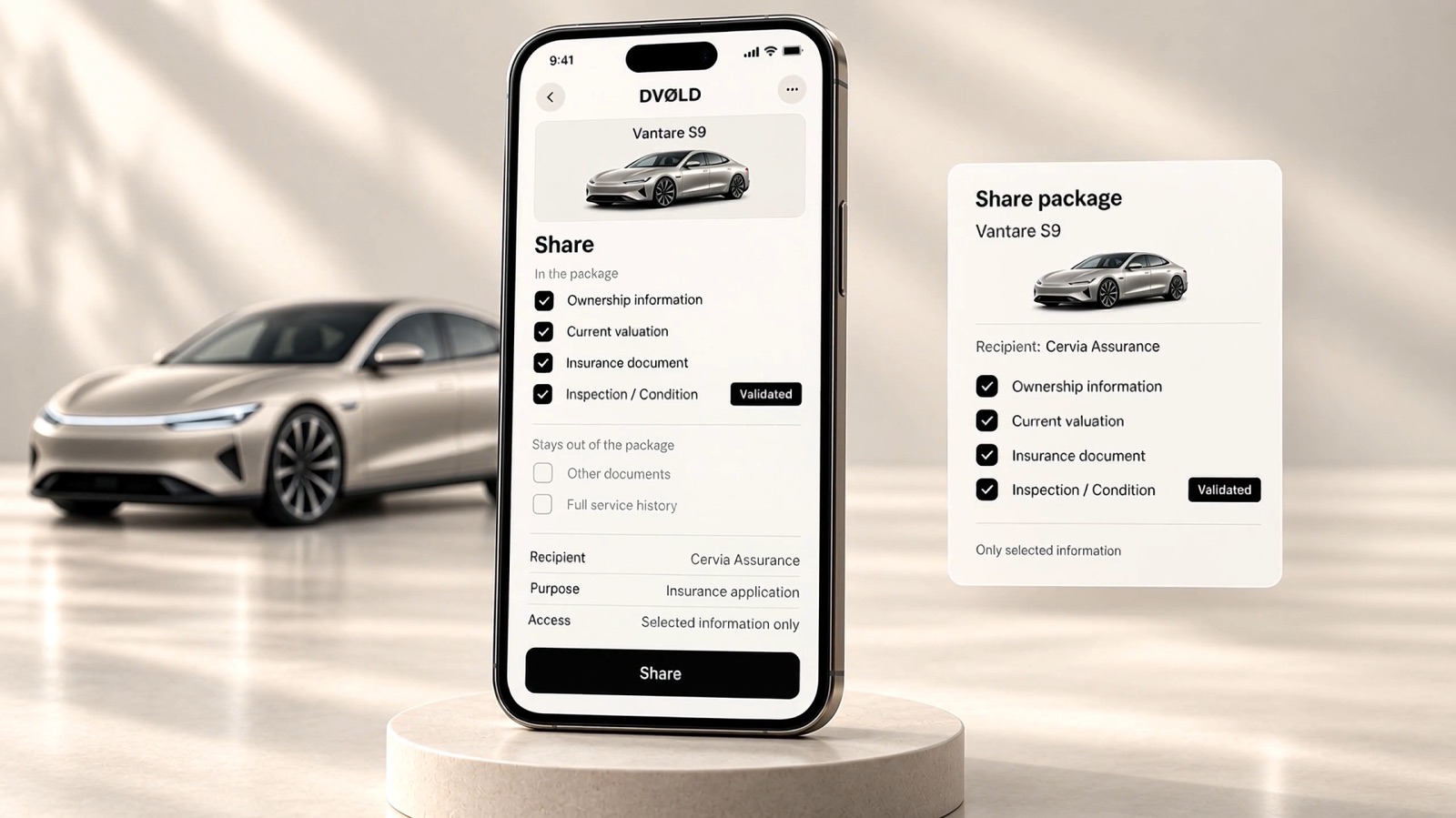
Each party sees only what it needs.
Connecting does not mean that every party sees everything. Roles decide which information a party sees and which actions it may take. Information is shared when the context calls for it, and then only what is needed. That applies to asset information, and just as much to your customers’ data.
Customer data is an asset too.
Share only the data that’s needed. Decide precisely what that is.
Advanced encryption
Sensitive information and data flows protected.
Targeted rights
Who has access, and what that party may do.
Selective sharing
Only what an action requires.
Record off-chain
The complete record stays off-chain. Personal data is not stored publicly on-chain.
Deployment
Three ways to deploy DVOLD.
With roles and access in place, an organisation chooses how it works with DVOLD.
API and white-label are different deployment forms. They can exist side by side.
DVOLD environment
A DVOLD interface for a defined role or workflow.
API
Selected DVOLD capabilities inside existing applications.
White-label
An experience under your own brand.
Integration
From an action in your system to a traceable history.
Connections and implementation are defined per organisation.
- 01 · ActionBatch released in your ERP
- 02 · MappingMapped to a DVOLD event
- 03 · Contribution in DVOLDProduct data added to AW-AIG-0391
- 04 · StatusIssued by Alpine Watch Co.
- 05 · ConfirmationConfirmation back in your ERP
In the product
How an organisation works in DVOLD.
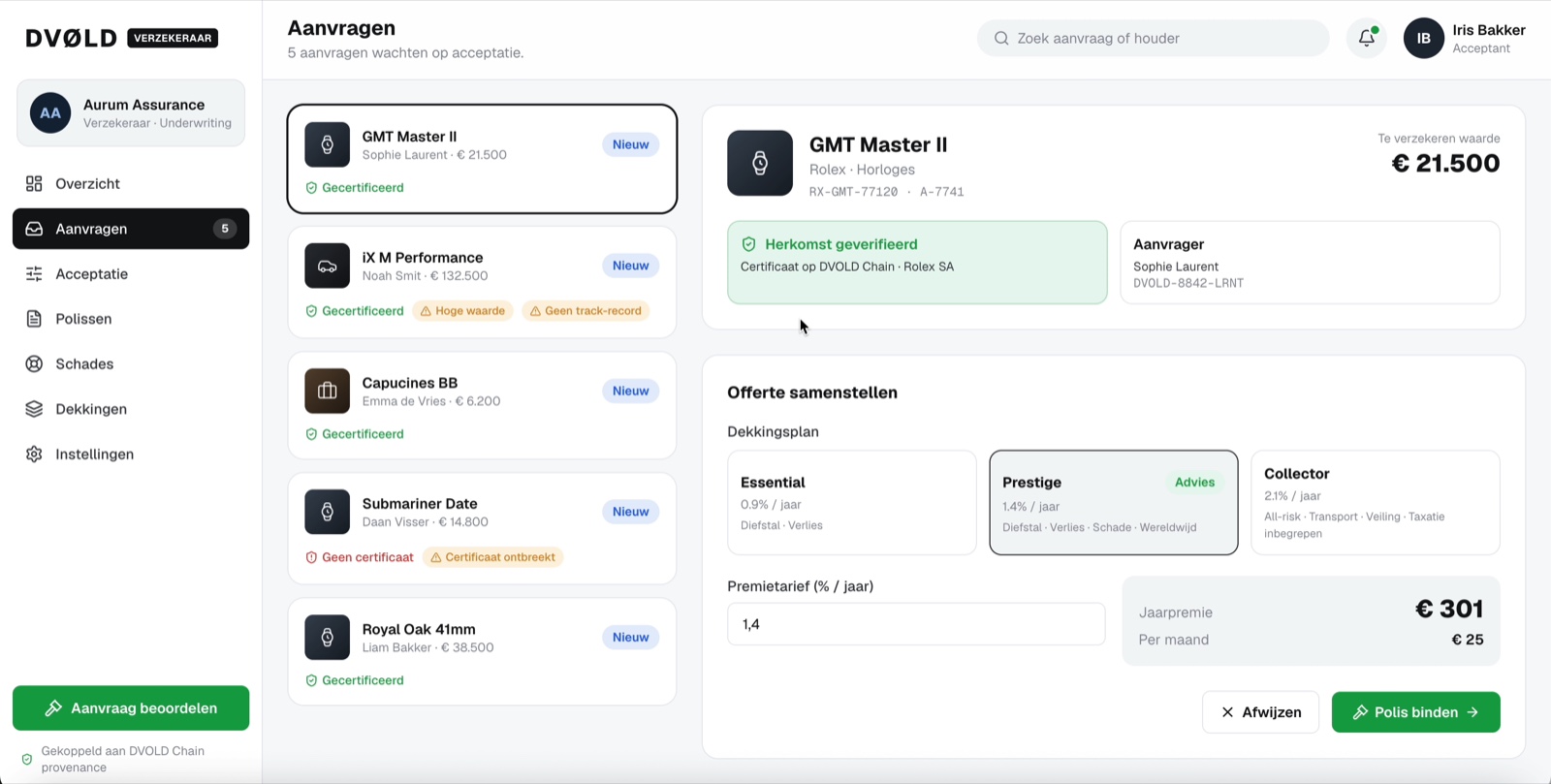
With the DVOLD environment as deployment form, an organisation works in its own interface, set up for its role. This example is an insurer’s environment: incoming requests per asset, with provenance, value and applicant side by side, and the actions that belong to that role.
Per asset
Every record belongs to one asset, with its value and applicant.
Provenance visible
Whether a certificate is present shows right on the request.
Signals at a glance
Value, certificate status and relevant signals show right on the request.
Where DVOLD connects
One asset. Every party from its own role.
In practice, DVOLD connects the parties that work on the same asset: from issuance and sale to maintenance, assessment and transfer. Each contributes from its own role and environment, around the same digital asset identity.
Product & commerce
Digital product passports · purchase and warranty · resale
Proof, assessment & risk
Insurance · appraisal and validation · financing
Operations
Maintenance and service · inspections · certification
Chain & lifecycle
Supply chain · logistics · provenance
Also applicable in: Real estate and long-running records · public registrations · circularity and Urban Mining
Example · Supply chain
Provenance, documents and status stay connected at every link.
- ProducerProduct data, quality control
- SupplierDelivery document, batch data
- Logistics providerTransport document, handover record
- RecipientReceipt control, status update
Connected parties and systems determine what is visible.
Example · Brand, consumer, insurer
Three parties. One asset.
- BrandIssues the product passportIssued
- ConsumerKeeps, adds and sharesAdded
- InsurerReceives selected proofShared
The insurer decides which information it needs, and decides on acceptance and cover.